
Updated November 2026. For owners adding smart devices now, and for sellers deciding what stays with the house.
As of November 2026, six smart home devices cover most needs: a security camera system, smart lighting, a video doorbell, a smart thermostat, connected smoke and CO alarms, and a voice assistant. Start with safety. The U.S. Fire Administration says to replace smoke alarms 10 years from manufacture, and insurers often take at least 5% off for alarms and deadbolts.
Jump to: 🏠 The 6 devices · 💲 Side by side · 🛡️ Insurance · 🤝 Keeping them secure · 🪜 When you sell · ❓ FAQ
Key takeaways
- Test 9-volt smoke alarms monthly, change the batteries once a year, and replace each alarm 10 years from its manufacture date (USFA).
- Interconnected alarms sound together, which the USFA recommends, and smart alarms add a phone alert.
- ENERGY STAR certifies smart thermostats on real field data, so the label is a quick filter.
- The FCC’s voluntary U.S. Cyber Trust Mark puts a QR code on qualifying devices with security details.
- The Insurance Information Institute says a smoke detector, burglar alarm or deadbolts usually earn at least 5% off; monitored alarms plus sprinklers can earn 15% to 20% at some companies.
A smart home doesn’t need 40 gadgets, and neither does a well-run one: to equip your home for easier days, six basics do most of the work. It needs a few devices that solve real problems: knowing who’s at the door, not heating an empty house, and getting a warning when you’re away. Here is how we’d think about each one, and what happens to them the day you sell.
Which smart home devices are worth it?
1. A security camera or video system
A camera system lets you check your home from your phone. Most kits mix indoor and outdoor cameras with motion alerts and night vision. Some add door sensors, so you know when a door opens while you’re out.
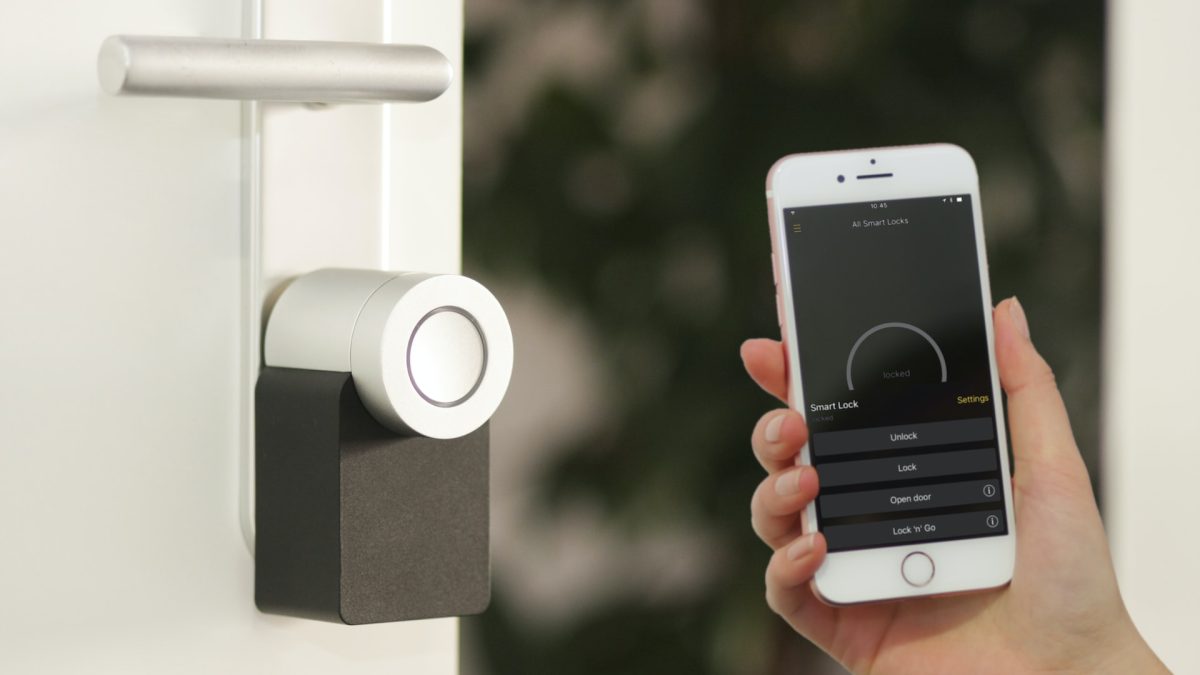
Bigger setups tie cameras, locks and lights into one app. As My Automated Palace shows, some systems even let you lock or open doors remotely. A monitored plan goes one step further: a service watches the alarms and can call for help.
Video systems for smart homes come in three setups: a single video doorbell, a few Wi-Fi cameras on one app, or a wired system with a recorder. Before you buy, decide where the footage lives. Local storage on a card or hub costs nothing monthly. Cloud storage is easier to review but usually means a subscription.
2. Smart lighting
Smart bulbs and switches let you turn lights on and off from anywhere, set schedules, and dim or change color by voice. Schedules make a house look lived-in while you travel.
Bulbs are the easy start, since they screw into what you have. Smart switches cost more and may need an electrician, but they keep working when someone flips the wall switch. If you rent, or plan to sell soon, bulbs come with you more easily.
3. A video doorbell
A video doorbell shows you who’s at the door and lets you talk through your phone. Most have night vision and motion alerts. Wired models draw power from the old doorbell wiring. Battery models are simpler to install but need a recharge now and then.
For a lot of owners, this is the one device they’d buy again first. It covers package deliveries, visitors and the occasional stranger, without a full camera system.
4. A smart thermostat
A smart thermostat adjusts heating and cooling on a schedule, or learns your habits on its own. Some use your phone’s location to know when you’re headed home, a feature called geofencing.
ENERGY STAR says certified smart thermostats have been independently certified, based on actual field data, to deliver energy savings. Many utilities also offer rebates on certified models, so check before you pay full price. It’s worth the look: ENERGY STAR says almost half of the average household’s energy bill goes to heating and cooling, more than $900 a year.
5. Smart smoke and carbon monoxide alarms
Smart alarms send a phone alert when they sound, so you hear about a problem even when you’re not home. Many combine smoke and carbon monoxide detectors in one unit.
The U.S. Fire Administration recommends alarms inside and outside each sleeping area and on every level, including the basement. It also recommends interconnected alarms, so when one sounds, they all sound. Hardwired alarms should be installed by a qualified electrician.
6. A voice assistant
A voice assistant ties everything together. You can dim the lights, change the temperature, or check the doorbell without picking up your phone. It also handles music, timers and weather.
The catch is that it’s always listening for its wake word. Use the mute button when you want privacy, and review the voice history settings in the app.
How do the six devices compare?
| Device | Main job | Install | Usually stays when you sell? |
|---|---|---|---|
| Security cameras | Watch and alert | Wireless or wired | Wired cameras often stay; say so in the contract |
| Smart lighting | Schedules and remote control | Bulbs: none; switches: wiring | Switches usually stay; bulbs can go |
| Video doorbell | See and talk to visitors | Battery or doorbell wiring | Often stays if wired; agree in writing |
| Smart thermostat | Heating and cooling schedules | Replaces the old thermostat | Usually stays as a fixture |
| Smoke and CO alarms | Safety alerts | Battery or hardwired | Should stay; never leave a home without alarms |
| Voice assistant | Control by voice | Plug in | Usually goes with you |
“Usually” is the key word. What stays depends on your contract, not on habit. More on that below.
Which smart home devices can lower your insurance?
There’s no official list of “insurance-approved” smart home devices. Each insurer sets its own rules. But the Insurance Information Institute says you can usually get a discount of at least 5% for a smoke detector, a burglar alarm or deadbolt locks.
Bigger cuts go to monitored systems. The III says some companies take 15% or 20% off for a sprinkler system plus a fire and burglar alarm that rings at a monitoring station. A connected camera alone rarely counts.
| Smart home equipment | Discount the III cites | What to ask your insurer |
|---|---|---|
| Smoke alarm | Usually at least 5% | Does a connected alarm count, or only hardwired? |
| Burglar alarm | Usually at least 5% | Is self-monitoring enough? |
| Deadbolt or smart lock | Usually at least 5% | Does a smart deadbolt qualify? |
| Monitored fire and burglar alarm plus sprinklers | Up to 15% to 20% at some companies | What proof of monitoring do you need? |
| Water leak sensor | Not in the III list | Do you offer a leak sensor credit? |
Get the answer in writing before you buy for the discount. Then send the insurer the monitoring certificate or receipt it asks for.
How do you keep smart home devices secure?
Every connected device is one more thing on your Wi-Fi. A few habits go a long way.
Sell smarter
List your home on the MLS from $99
A flat fee instead of a percentage, and $0 to Beycome at closing. You stay in control of your sale.
Sell your home →Buy smarter
Get up to 2% back at closing
On homes listed by other agents, Beycome credits you up to 2% of the price at closing (1% kept, $1,499 minimum; not on FSBO homes or homes listed by Beycome sellers).
Buy a home →- Change the default password the day you set up a device, and use a different one for each account.
- Turn on two-step login in each app that offers it.
- Leave automatic updates on, so security fixes install without you.
- Put smart devices on a guest network, if your router allows it.
- Remove devices you no longer use from your account.
Shopping for something new? Look for the U.S. Cyber Trust Mark. The FCC describes it as a voluntary label for wireless smart products that meet its cybersecurity standards. A QR code next to the logo links to details like how long the product gets support and whether security updates are automatic.
For more on the legal side, read our post on smart homes, IoT and property law.
What happens to smart devices when you sell your home?
This is where many sellers trip up. Buyers see a smart thermostat in the listing photos and expect it to stay. You planned to take it. Now it’s a fight at the final walk-through.
Decide what stays, and write it down
Make a list before you list. Anything attached to the house, like a wired doorbell, a thermostat or wall switches, is often treated as part of the home. Plug-in devices usually go with you. If you’re taking something that looks attached, swap it out before photos or name it as excluded in the purchase contract.
Our guide to the real estate contract for sale by owner shows where inclusions and exclusions go.
Hand over, then reset
Before closing, remove the devices that stay from your accounts, factory-reset them, and leave the manuals and model numbers. Change smart lock codes and garage codes too. The buyer should be able to set everything up in their own name.
Cameras during showings
If your cameras are on during showings, tell visitors in the listing notes. Rules on recording audio vary by state, so many sellers turn audio off and keep video only. It’s also a courtesy: buyers talk more freely when they don’t feel watched.
Use them in your listing
Smart features are worth a line in your description. Say what they do, not just the brand: “thermostat with phone control” beats a model number. Our tips on listing descriptions that attract buyers and on making a video tour of your home help here.
Selling without a listing agent? A flat fee MLS listing with Beycome is from $99 in most states (see your state page), with $0 due to Beycome at closing, and includes unlimited listing updates. Buying instead? The Beycome buyer program is open to every buyer on homes listed by other agents (the commission credit can’t apply where no buyer-agent commission is offered, like most FSBO homes, or on homes listed by Beycome sellers), with no upfront fee.
Looking for more upkeep ideas? See 6 ways to automate parts of your home, ways to reduce home maintenance, and why smoke detectors matter at your property. Comparing FSBO sites? Read our ForSaleByOwner.com reviews.
Smart home device questions
Which smart home device should I buy first?
Start with safety: connected smoke and CO alarms. Then a video doorbell, the one device many owners say they’d buy again first, since it covers deliveries and visitors without a full camera system.
Are smart home devices secure?
They can be, with a few habits: change default passwords, turn on two-step login, leave automatic updates on, and put devices on a guest network. The FCC’s U.S. Cyber Trust Mark flags products that meet its cybersecurity standards.
What are the most useful smart home devices?
For most homes: a video doorbell, connected smoke and CO alarms, a smart thermostat, smart lighting, a camera system and a voice assistant to control them.
How often should smoke alarms be replaced?
The U.S. Fire Administration says 10 years from the manufacture date. Test 9-volt models monthly and change their batteries once a year.
What is the U.S. Cyber Trust Mark?
A voluntary FCC label for wireless smart products that meet its cybersecurity standards, with a QR code linking to security details.
Do smart home devices stay with the house when you sell?
It depends on the purchase contract. Attached items like thermostats and wired doorbells often stay; list any you’re taking as exclusions.
Can smart home devices lower insurance costs?
Often. The Insurance Information Institute says discounts of at least 5% are common for smoke detectors, burglar alarms and deadbolts. Ask your insurer what qualifies before you buy.
What are insurance-approved smart home devices?
There’s no single approved list. Insurers commonly reward smoke alarms, burglar alarms and deadbolts, and give larger cuts for alarms watched by a monitoring station.
What is the best video system for a smart home?
Start with a video doorbell. Add cameras on the same app if you need more coverage, and pick local storage if you want to skip a monthly fee.
Should I reset smart devices before moving out?
Yes. Remove devices that stay from your accounts, factory-reset them, change lock and garage codes, and leave the manuals.
Device features vary by brand and model; check the maker’s instructions. What stays with a home is set by your purchase contract and local practice. Insurance discounts vary by company and state. Beycome prices are as of November 2, 2026, and Basic is from $99 in most states (see your state page); “$0 at closing” means no Beycome fee at closing, and other closing costs still apply. General information, not legal or insurance advice.
Sources
- U.S. Fire Administration, smoke alarms, read October 22, 2026.
- ENERGY STAR, smart thermostats, read October 22, 2026.
- FCC, U.S. Cyber Trust Mark, read October 22, 2026.
- Insurance Information Institute, 12 ways to lower your homeowners insurance costs, read November 2, 2026.
- Beycome, listing package features, read November 2, 2026.
Disclosure & Disclaimer
Beycome provides real estate services through affiliated licensed brokerages and has a commercial interest in the services and business models discussed on this blog. Content reflects Beycome’s perspective and may promote our services; it should not be treated as independent or neutral reporting.
Articles are provided for general informational and educational purposes only, not as financial, tax, legal, or investment advice or a recommendation for your particular situation. Reading this blog does not create a brokerage, advisory, or other professional relationship.
Information, opinions, pricing, service descriptions, and comparisons reflect the sources and information available when an article was published or last updated and may change. Although we aim for accuracy, we do not guarantee that all content is complete, current, or applicable to your circumstances. Laws, market conditions, and service availability vary by location. Examples and estimated savings are illustrative, depend on stated assumptions, and do not guarantee individual results.
Verify relevant information directly and consult qualified professionals before making decisions. Beycome services are subject to applicable agreements, eligibility requirements, and state-specific terms.

