
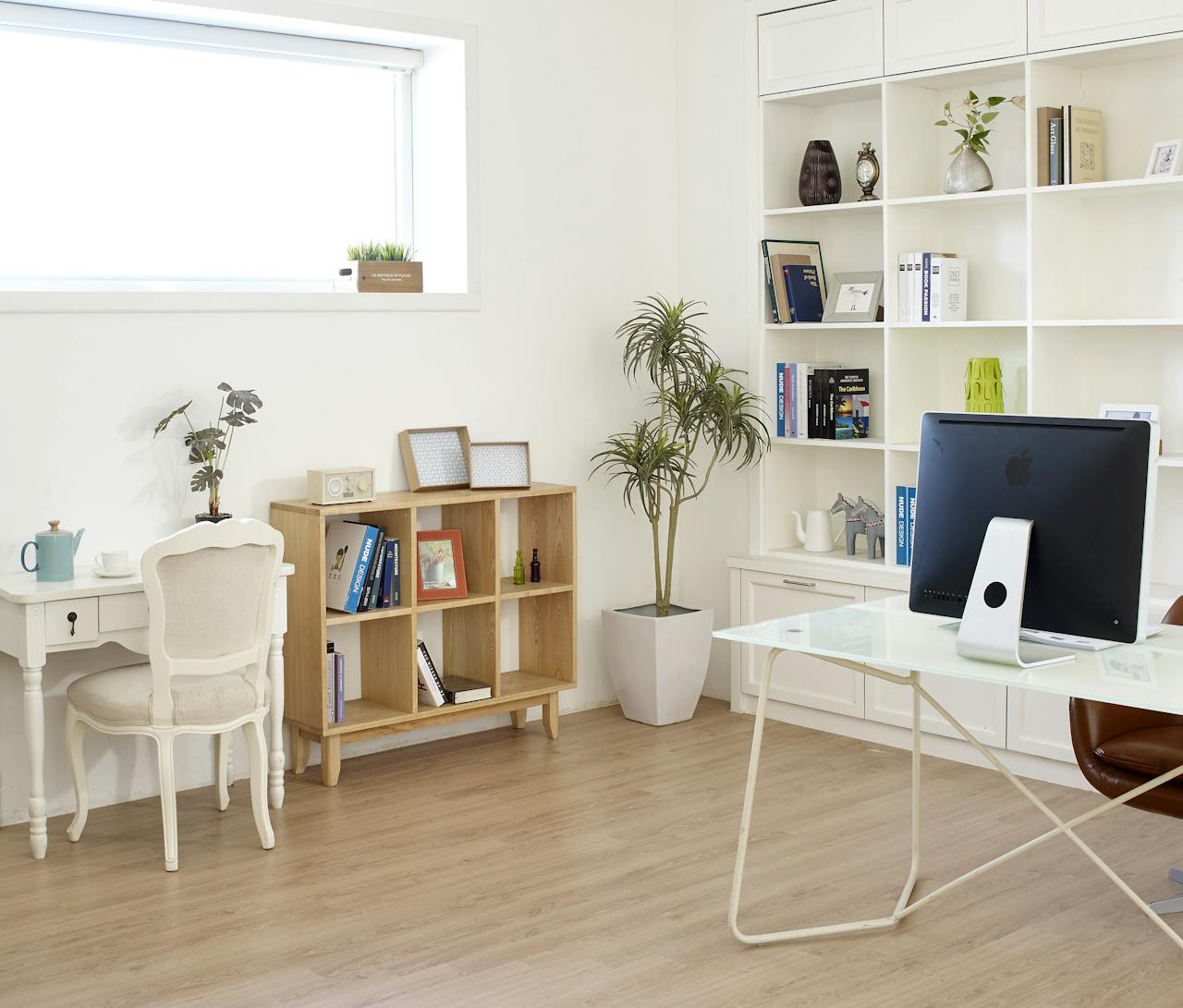
Updated October 2026. For people who work from home and want a home office that helps them focus, and that still makes sense when they sell.
How do you set up a home office that actually makes you productive? Get four things right: a chair and desk that fit your body, a quiet corner, good light, and storage that keeps the desk clear. As of October 2026, self-employed people who use the room regularly and only for work can deduct $5 per square foot, up to 300 square feet ($1,500), under the IRS simplified option.
Jump to: 🪜 Ergonomics · 🤝 Quiet corner · 💡 Lighting · 💲 Taxes · 🏠 Selling · ❓ FAQ
Key takeaways
- Set the chair so your feet sit flat and your elbows bend at about 90 degrees; put the top of the screen at or below eye level, 20 to 40 inches away (OSHA).
- Soft materials such as rugs, curtains and full bookshelves absorb sound for far less than renovation.
- The IRS simplified home office deduction is $5 per square foot, capped at 300 square feet, for qualifying business use; employees can’t claim it.
- When you sell, a clear, well-lit office photographs well, and buyers who work from home look for one.
Working from home sounds simple until the laundry, the kids and the TV are all a few steps away. A room or corner that’s set up for work helps you switch on in the morning and switch off at night. Here’s how we’d do it, starting with what touches your body all day.
What furniture makes a home office comfortable?
Start with the chair. You’ll sit in it for thousands of hours a year, so adjustability beats looks. Look for seat height and depth adjustment, lumbar support that follows your lower back, and armrests that let your shoulders relax.
A simple setup check takes two minutes. The screen distances below come from OSHA’s computer workstation guide:
- Feet flat on the floor or a footrest, knees roughly level with the hips.
- Elbows bent around 90 degrees, with the keyboard at that height.
- Top of the screen at or just below eye level, 20 to 40 inches from your eyes.
- Wrists straight while you type, not bent up or down.
Don’t forget a place to step away. A comfortable chair for reading or calls, like one of the Wayfair recliners, gives you a spot to stretch out between tasks without moving to the couch. Changing position through the day matters as much as the perfect desk chair.
If you have the space, a sit-stand desk lets you switch between sitting and standing. Even a small change, like standing for calls, breaks up long stretches of sitting.
How do you make a quiet corner for focus?
First find the noise. Is it the street, the kitchen, a neighbor’s wall, or the people you live with? The fix depends on the source.
Absorb sound with soft materials
Hard floors and bare walls bounce sound around. A thick rug, heavy curtains, upholstered furniture and acoustic panels soak it up. Our guide to soundproofing covers the bigger projects, from door seals to insulated walls.
Use furniture as a buffer
A full bookshelf against a shared wall works like extra insulation. Place the desk away from the door and the noisiest wall when you can.
Add tech where it helps
Noise-canceling headphones and a white-noise machine cover what’s left. If you’re on video calls a lot, a good headset microphone matters more to the people listening than a fancy camera.
What lighting works best in a home office?
Light changes how long you can focus. harsh lighting can bring on eye strain and headaches, while a dim room makes you drowsy by mid-afternoon.
Use layers. Daylight from a window to the side of the desk is ideal (OSHA suggests placing the monitor perpendicular to the window), since light from behind causes glare on the screen and light in front makes you squint. Add an overhead light for the room and a desk lamp you can aim at paper or the keyboard. Bulbs with adjustable brightness let you go bright for detailed work and softer for reading.
If you’re on camera often, put a light in front of you, not behind. A window behind your head turns you into a silhouette.
How do you keep a home office organized?
Clutter pulls your eye away from the task. Give everything a home: wall shelves for books and binders, a drawer unit for supplies, a small board for the week’s priorities, and cable clips under the desk.
Sell smarter
List your home on the MLS from $99
A flat fee instead of a percentage, and $0 to Beycome at closing. You stay in control of your sale.
Sell your home →Buy smarter
Get up to 2% back at closing
On homes listed by other agents, Beycome credits you up to 2% of the price at closing (1% kept, $1,499 minimum; not on FSBO homes or homes listed by Beycome sellers).
Buy a home →Built-in or modular storage also matters later. Buyers notice a room that works, and our article on solving storage issues at home has more ideas that work in small spaces.
Keep one rule: the desk is for work. If it fills up with mail and dishes, the room stops doing its job.
Can you deduct a home office on your taxes?
Sometimes. The IRS lets people who use part of their home for business deduct some costs, but the rules are strict, and zoning has its say too if you turn a house into a business that clients visit. The space must be used regularly and exclusively for business, and it must be your principal place of business (or a place you meet clients). A guest room that’s also an office doesn’t count.
Employees can’t claim it. The IRS simplified option page says the deduction for a home office used as an employee went away for tax years beginning after 2017. It’s mainly for the self-employed.
| Item | Simplified option | Regular method |
|---|---|---|
| How it’s figured | $5 per square foot | Actual expenses times the business-use share |
| Size limit | 300 square feet ($1,500 maximum) | Share of the home used for business |
| Depreciation | None for those years | Yes, and it may be recaptured when you sell |
| Records | Square footage and use | Bills, receipts and the calculation |
Source: IRS, simplified option for the home office deduction, read October 27, 2026. Talk to a tax professional before you claim it.
Does a home office matter when you sell?
It can. Many buyers work from home at least part of the week, and a room that’s clearly set up as an office helps them picture their own routine. That’s worth showing well.
Before photos, clear the desk, hide the cables, open the blinds and turn on every light. Our tips on home photos that upgrade a listing and virtual staging help if the room is a mess or empty. In the description, say what the room offers: a door that closes, a window, built-in shelves, a wired internet port. Our guide to writing listing descriptions shows how.
One tax note for sellers. If you claimed depreciation on a home office, IRS Publication 523 explains that depreciation taken after May 6, 1997 may have to be recaptured when you sell, even when the rest of the gain is excluded. Ask your tax preparer before you list.
When you’re ready, you can list your home on the MLS with Beycome for $99 (Basic) or $399 (Enhanced), with $0 to Beycome at closing. Beycome lists in 17 states and DC and has helped 22,000+ homeowners save over $225 million.
Frequently asked questions about home office productivity
What is the most important item in a home office?
An adjustable chair that supports your lower back, set so your feet are flat and your elbows bend at about 90 degrees.
Where should the desk go in a home office?
Ideally with a window to the side, away from the door and the noisiest wall. A window behind the screen causes glare.
How can I reduce noise in my home office cheaply?
Add a thick rug, heavy curtains and a full bookshelf on the shared wall, seal the door gap, and use noise-canceling headphones.
Can I deduct my home office if I work from home for an employer?
No. The IRS says employees can no longer claim it for tax years beginning after 2017. It’s mainly for self-employed people who meet the use rules.
How much is the simplified home office deduction?
$5 per square foot for up to 300 square feet, so $1,500 at most, if you qualify. There’s no depreciation for those years.
Does a home office add value when selling a house?
It can help buyers who work from home picture themselves there. Show it clean and well lit, and describe features like a door, a window and built-ins.
Prices as of October 2026 and subject to change. “$0 at closing” means no Beycome fee at closing; other closing costs, taxes, title and any agreed buyer-agent compensation still apply. Tax rules from IRS pages read October 27, 2026. General information, not tax or legal advice.
Sources
- IRS, simplified option for home office deduction, read October 27, 2026.
- OSHA, computer workstations eTool: monitors, read October 27, 2026.
- IRS Publication 523, Selling Your Home, read October 27, 2026.
- Beycome, listing package features, October 2026.
Disclosure & Disclaimer
Beycome provides real estate services through affiliated licensed brokerages and has a commercial interest in the services and business models discussed on this blog. Content reflects Beycome’s perspective and may promote our services; it should not be treated as independent or neutral reporting.
Articles are provided for general informational and educational purposes only, not as financial, tax, legal, or investment advice or a recommendation for your particular situation. Reading this blog does not create a brokerage, advisory, or other professional relationship.
Information, opinions, pricing, service descriptions, and comparisons reflect the sources and information available when an article was published or last updated and may change. Although we aim for accuracy, we do not guarantee that all content is complete, current, or applicable to your circumstances. Laws, market conditions, and service availability vary by location. Examples and estimated savings are illustrative, depend on stated assumptions, and do not guarantee individual results.
Verify relevant information directly and consult qualified professionals before making decisions. Beycome services are subject to applicable agreements, eligibility requirements, and state-specific terms.

