
Updated October 2026. What to check before you call a repair tech when an appliance stops working, with figures from the FDA, USDA (FoodSafety.gov) and ENERGY STAR read October 29, 2026.
When a home appliance quits, check the simple causes before you book a repair: the breaker or GFCI outlet, the plug, the door latch, a clogged filter and the appliance’s error code. They cost nothing and often find the problem. A fridge that’s off keeps food safe for up to 4 hours with the door closed, per FoodSafety.gov, so you have time to look.
Jump to: ⏱️ First 5 minutes · 🏠 Kitchen fixes · 🪜 Laundry and HVAC · 🤝 When to call a tech · 💲 Selling or buying · ❓ FAQ
Key takeaways
- Start with power: a tripped breaker, a GFCI outlet that popped, or a plug that worked loose.
- A fridge should read at or below 40°F, the freezer 0°F (FDA). Without power, the fridge keeps food safe up to 4 hours if you keep it closed.
- ENERGY STAR says to check HVAC filters monthly: a dirty filter can damage equipment and lead to early failure.
- Call a pro for gas smells, burning odors, sparks, or anything that needs the cabinet opened while plugged in.
What should you check first when an appliance stops working?
A surprising number of “broken” appliances just lost power or got switched to the wrong setting. Before you look up a repair company, run through this list. It takes five minutes.
- The breaker. Open the panel and look for a switch sitting in the middle. Push it fully off, then on. Dryers and ranges often use a double breaker; both halves need to be on.
- The GFCI outlet. Kitchen, laundry and garage outlets often have test and reset buttons. One tripped GFCI can kill power to several outlets down the line, including the one behind the fridge.
- The plug and cord. Is it pushed in all the way? Any scorch marks or a cut cord means stop and call someone.
- The door or lid switch. Washers, dryers, dishwashers and microwaves won’t run if the latch doesn’t click. Look for a bent latch or a sock caught in the door.
- The error code. Write it down and search the model number plus the code on the maker’s site. Most post free manuals with code lists.
Also check for a safety recall. The Consumer Product Safety Commission keeps a searchable recall list at cpsc.gov. A recalled part is usually fixed or replaced for free.
How do you troubleshoot common kitchen appliance problems?
| Problem | Check this first | Call a tech if |
|---|---|---|
| Fridge not cooling | Thermostat setting, door seal, dusty condenser coils, blocked vents inside | Compressor clicks on and off, or it’s warm after coils are clean |
| Freezer frosting up | Door left ajar, worn gasket | Frost keeps building on the back wall (defrost system) |
| Dishwasher won’t drain | Clogged filter; drain hose kink; new disposal knockout plug | Water stays after the filter and hose are clear |
| Dishwasher leaves film | Rinse aid empty, spray arm holes blocked, water not hot | Spray arm doesn’t spin |
| Oven not heating | Clock or timer mode, breaker, gas supply valve | Element shows a break, or any gas smell |
| Microwave runs but doesn’t heat | Nothing safe to check yourself | Always: it stores high voltage even unplugged |
Fridge. The FDA says to keep the fridge at or below 40°F (4°C) and the freezer at 0°F (-18°C), and to check with an appliance thermometer. If it’s warmer, unplug it, pull it out and vacuum the coils on the back or behind the bottom grille. Close the door on a dollar bill; if it slides out easily, the gasket isn’t sealing. If the power is out, FoodSafety.gov says the fridge keeps food safe for up to 4 hours with the door closed. Throw out perishables like meat, eggs and leftovers after that.
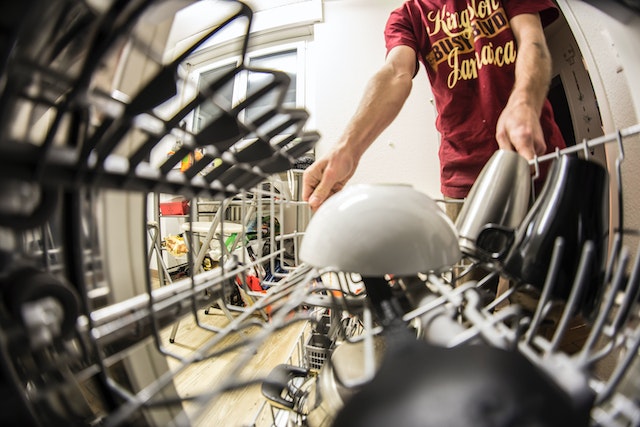
Dishwasher. Pull the filter at the bottom and rinse it. If you just installed a garbage disposal, the knockout plug on its dishwasher inlet may still be in place, and nothing will drain. That one trips up a lot of new owners.
For a full yearly plan once it’s fixed, use our maintenance schedule to keep each appliance working. It’s the “prevent” side of this “fix” guide.
How do you troubleshoot laundry appliances and the AC?
Washer won’t spin. Usually an unbalanced load. Spread heavy items like towels and jeans around the drum and run a spin-only cycle. If it hums but won’t drain, check the pump filter, a small door at the bottom front on many front-loaders. Put a towel down first.
Dryer runs but won’t heat. On an electric dryer, check that both halves of the double breaker are on. Then clean the lint screen and look at the vent outside: if the flap barely opens while it runs, the duct is clogged. That’s a fire risk, not just a slow dryer.
AC blowing warm air. Check the thermostat mode and batteries, then the filter. ENERGY STAR says to inspect, clean or change the filter once a month in a central air conditioner, furnace or heat pump, because a dirty filter can raise energy costs and damage the equipment. Make sure the outdoor unit has power, since it often has its own breaker and a disconnect box on the wall.
If you have AC trouble, you can go on this site to see what a local HVAC company covers, do a simple fix yourself, or look up repair guides online. The Spruce has step-by-step help so potential problems are caught early, before they turn into a big bill. If you’re thinking about replacing the system, our guide on the benefits of a quality HVAC system covers ratings and resale.
When should you stop and call a repair technician?
DIY troubleshooting stops at the cabinet panel. Call a licensed technician, and leave the appliance off, if you notice any of these.
Sell smarter
List your home on the MLS from $99
A flat fee instead of a percentage, and $0 to Beycome at closing. You stay in control of your sale.
Sell your home →Buy smarter
Get up to 2% back at closing
On homes listed by other agents, Beycome credits you up to 2% of the price at closing (1% kept, $1,499 minimum; not on FSBO homes or homes listed by Beycome sellers).
Buy a home →- A gas smell near a range, dryer or water heater. Leave the house and call the gas company from outside.
- Burning smells, smoke, sparks or a hot outlet.
- Water on the floor that you can’t trace to a hose or the door seal.
- A breaker that trips again right after you reset it.
- Anything that needs a sealed refrigerant system opened, or a microwave opened at all.
When you call, give the model and serial number, the error code and what you’ve already checked. It saves a trip. Ask whether the service fee counts toward the repair. And if the unit is old, ask the tech how much life it has left before you approve a big part.
Check your paperwork too. A home warranty or the manufacturer’s warranty may cover the visit. Our 10 home warranty questions explain what’s usually covered and excluded.
Do broken appliances matter when you sell or buy?
They do. Inspectors run the dishwasher, the range and the AC. A dead unit becomes a repair request or a lower offer. Buyers can do their own checks with our guide on how to inspect appliances when buying a house.
If you’re selling, fix what’s broken (here’s when to replace appliances before selling) and leave manuals and recent service receipts in a folder on the counter. Small updates go a long way, like a kitchen spruce-up that doesn’t break the bank, new flooring trends worth watching, or fresh paint to raise market value. Bigger-ticket items like the roof get noticed too.
When you list, Beycome puts your home on the major home search sites and the MLS from $99, with $0 due to Beycome at closing. You stay in control of price, showings and offers. See how a flat fee listing works.
Appliance troubleshooting questions
Why did my appliance suddenly stop working?
Most often it’s power: a tripped breaker, a popped GFCI outlet or a loose plug. Next most common are door latches, clogged filters and settings like a delay or lock mode.
How long will food stay safe if my fridge stops working?
Up to 4 hours with the door closed, according to FoodSafety.gov. After that, discard perishables like meat, poultry, eggs and leftovers.
Why is my dryer running but not heating?
On electric dryers, check that both halves of the double breaker are on. Then clean the lint screen and the vent duct. If it still doesn’t heat, call a technician.
Why won’t my dishwasher drain?
Check the filter, a kinked drain hose, and, if you just installed a disposal, the knockout plug on its inlet.
Is it worth repairing an old appliance?
Ask the technician how much life the unit has left. A common rule of thumb is to replace it when a repair costs more than about half the price of a new one and it’s near the end of its life.
Should I unplug appliances I’m not using?
Small ones like toasters and coffee makers, yes, it cuts standby use and fire risk. Leave fridges, freezers and anything with a clock or a timer plugged in.
Temperature guidance from the FDA, power-outage guidance from FoodSafety.gov (USDA) and filter guidance from ENERGY STAR, read October 29, 2026. General information, not repair advice; never open a gas, refrigerant or high-voltage component yourself, and follow your manual. Beycome Basic is $99 as of October 2026; “$0 at closing” means no Beycome fee at closing, while other closing costs still apply.
Sources
- FDA, Are You Storing Food Safely?, read October 29, 2026.
- FoodSafety.gov, Food Safety During Power Outage, read October 29, 2026.
- ENERGY STAR, Maintenance Checklist, read October 29, 2026.
- CPSC, Recalls and Product Safety Warnings, read October 29, 2026.
- Beycome, listing package features, October 2026.
Disclosure & Disclaimer
Beycome provides real estate services through affiliated licensed brokerages and has a commercial interest in the services and business models discussed on this blog. Content reflects Beycome’s perspective and may promote our services; it should not be treated as independent or neutral reporting.
Articles are provided for general informational and educational purposes only, not as financial, tax, legal, or investment advice or a recommendation for your particular situation. Reading this blog does not create a brokerage, advisory, or other professional relationship.
Information, opinions, pricing, service descriptions, and comparisons reflect the sources and information available when an article was published or last updated and may change. Although we aim for accuracy, we do not guarantee that all content is complete, current, or applicable to your circumstances. Laws, market conditions, and service availability vary by location. Examples and estimated savings are illustrative, depend on stated assumptions, and do not guarantee individual results.
Verify relevant information directly and consult qualified professionals before making decisions. Beycome services are subject to applicable agreements, eligibility requirements, and state-specific terms.
