
In My dashboard > Listings, open your listing’s Edit menu, select Marketing, then click Show materials. From there you can generate flyers from your listing details in seven designs, and download open house signs and a QR code for your yard sign to print at home. These marketing tools are included with every listing.
Selling your home? List it on the MLS with Beycome for $99, with $0 due to Beycome at closing.
Accessing your real estate marketing tools
When you list your property with Beycome, you’re not just getting exposure on the MLS and top real estate websites—you’re unlocking a full set of marketing tools designed to help you promote your home your way. Instead of relying on third parties or paying extra for design services, you can create and manage your own materials quickly and efficiently, all from your dashboard.
Beycome provides a range of ready-to-use marketing assets to support your listing. These include seven pre-designed flyers, open house signs, an open house sign-in sheet, and a QR code for your yard sign. Each flyer is built from your property’s key details—photos, price, features, and contact information—so you can present your home clearly and professionally to potential buyers or tenants.
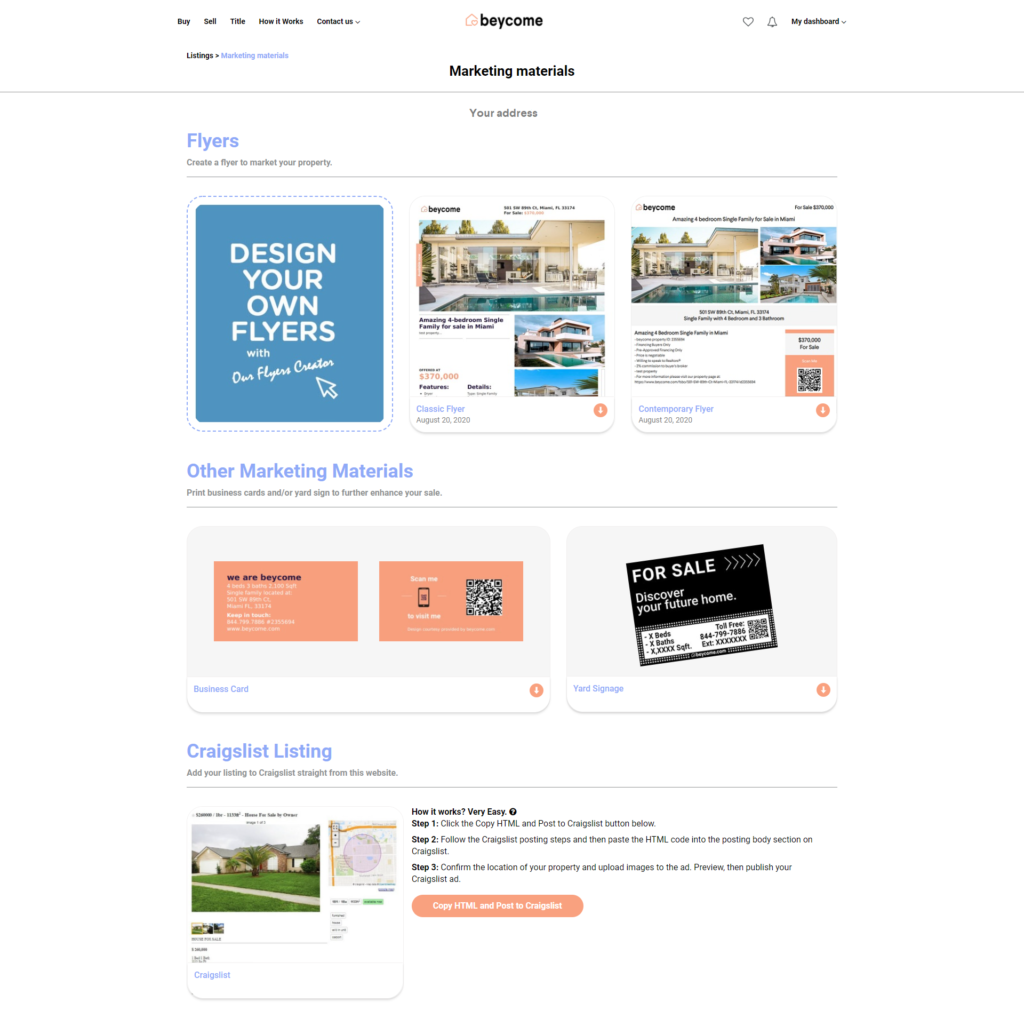
beycome.com offers pre-designed flyers, open house signs and a QR code for your yard sign that you can print out right at home. Follow this step-by-step tutorial on how to access your marketing tools for your listing.- Connect to My dashboard and go to Listings.
- On your listing, open the “Edit” menu and select “Marketing“.
- Click “Show materials”.
- Under Property flyers, click a design (Classic, Contemporary, Modern, Elegant, Dark, Open house or QR code flyer). We generate the flyer from your listing information.
- Under Other marketing materials, you can also download open house signs, an open house sign-in sheet and a QR code for your yard sign.
- Just click, download, and print!
Discover more:
Read more on our blog: FSBO Marketing Graphics: Signs, Flyers and Social Posts for Non-Designers (2026).