
Here’s how to pause property listing:
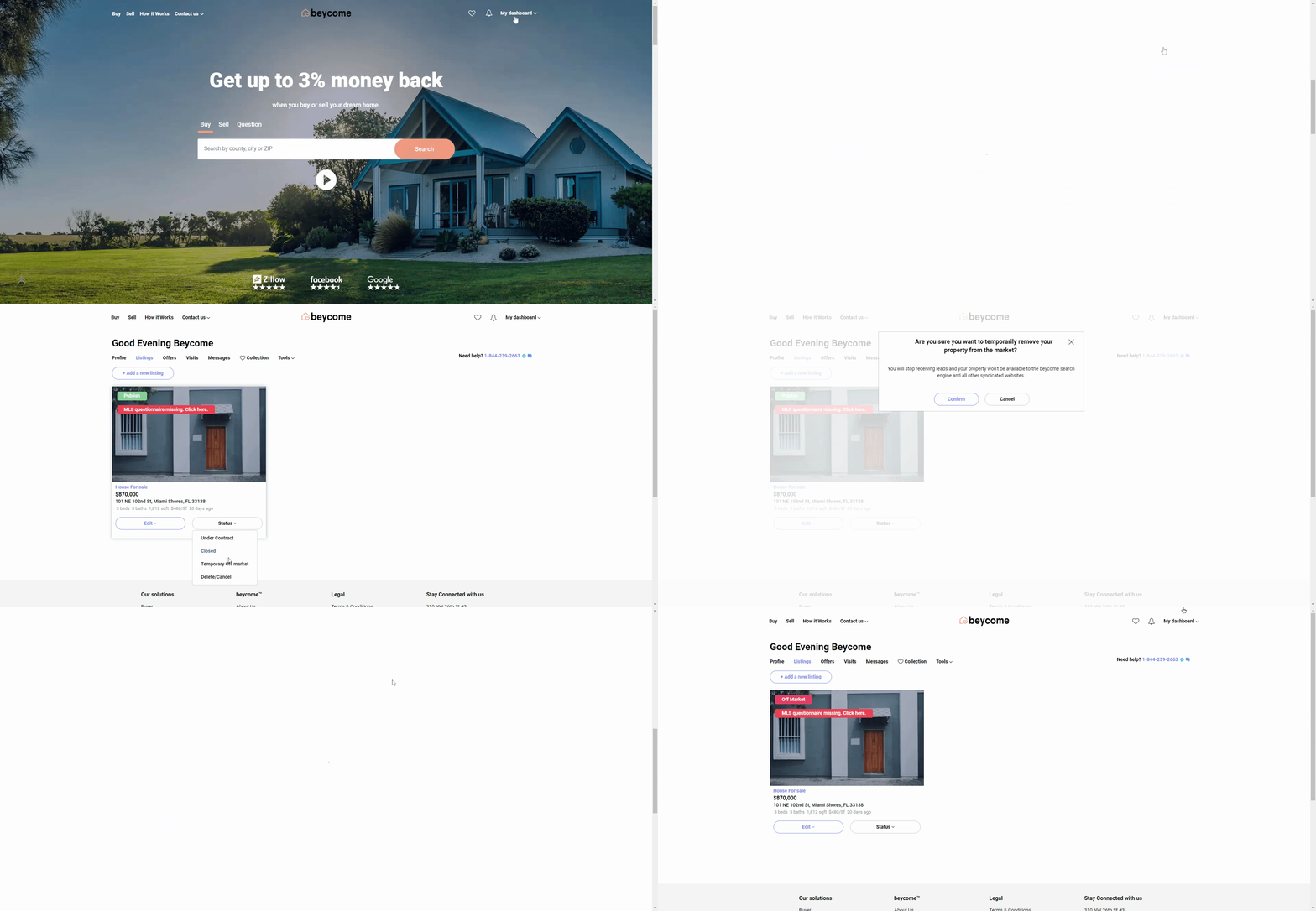
Step 1: Connect to My Dashboard
Log in to your Beycome account and open “My Dashboard.”
Then step 2: Update the listing status
From the “Status” menu, select “Temporary Off-Market” to pause your property listing.
Step 3: Confirm the pause
Click the “Confirm” button to complete the pause request.
What happens next
After we receive your update, one of our service representatives will adjust your property’s status. Syndicated websites and the MLS usually take one hour to two business days to reflect the change once the listing is paused.
Important reminder
For security reasons, only you can request listing updates. All modifications must be submitted through your Beycome account. We cannot accept change requests by email or phone.