

Updated October 2026. Four practical reasons to invest in office interior design, with the measurements that make a workplace comfortable and accessible. Built for small business offices, with notes for home offices. Sources read October 30, 2026.
Great office interior design pays off in four ways: people work more comfortably, the space costs less to run, clients see who you are, and the layout adapts as you grow. The numbers are simple: OSHA suggests screens 20 to 40 inches from the eyes, and the ADA Standards set 36-inch clear walkways and work surfaces 28 to 34 inches high.
Jump to: 🤝 Comfort · 💲 Running costs · 🏢 Clients · 🪜 Flexibility · 🏠 Home offices · ❓ FAQ
Office design numbers worth knowing
- Monitors: 20 to 40 inches from the eyes, top line of the screen at or below eye level (OSHA eTool).
- Walkways: 36 inches clear width; turning space 60 inches across; work surfaces 28 to 34 inches high (2010 ADA Standards).
- LED lighting produces light up to 90% more efficiently than incandescent bulbs (ENERGY STAR).
- US commercial electricity averaged 14.47 cents per kWh in August 2026 (EIA).
Plenty of offices have the “we haven’t touched this in years” look: tired carpet, one row of overhead tubes, a reception desk nobody sits at. Others spend a fortune on a showpiece lobby and forget the desks. Good design sits between the two. It starts with how people actually work in the space, then spends money where it shows up every day.
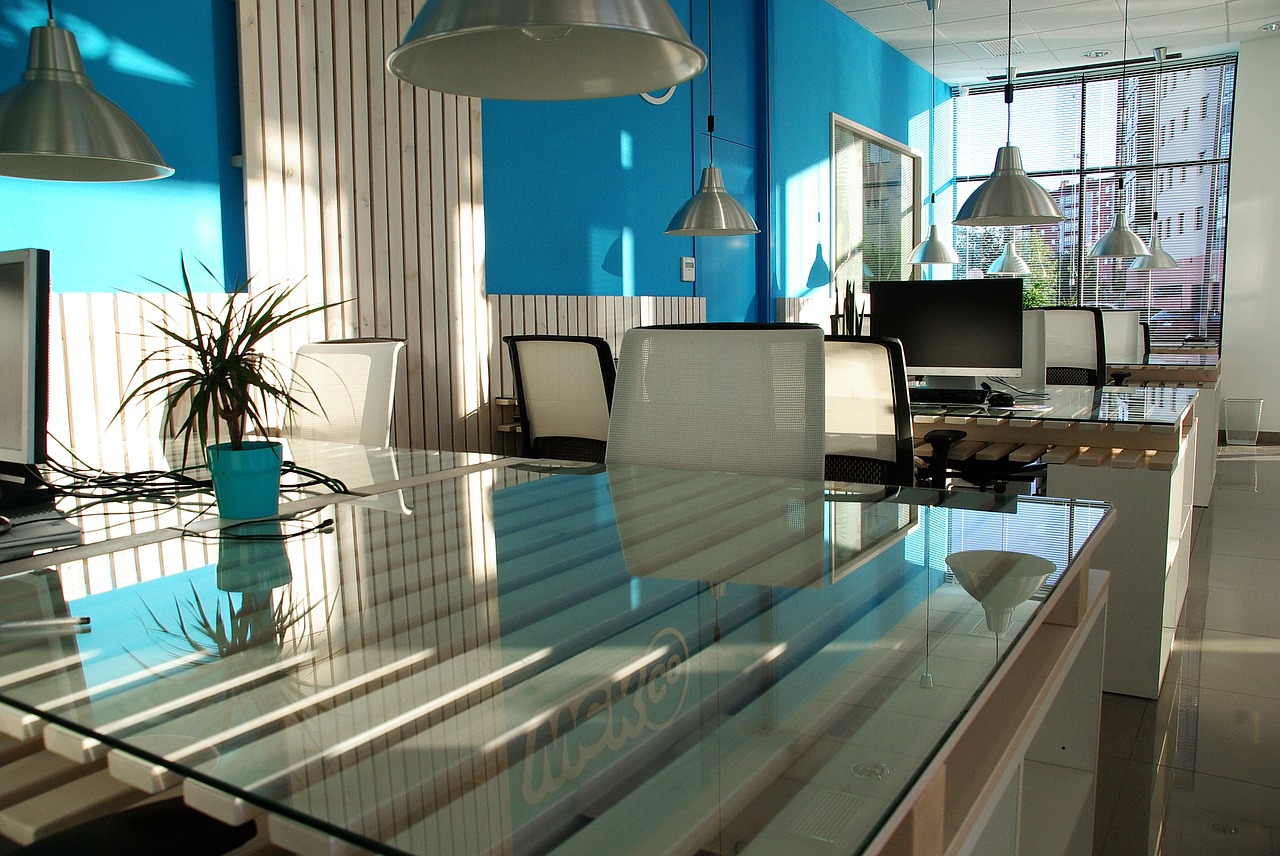
1. Does office design really affect how people work?
Yes, mostly through comfort and fatigue. A screen in the wrong place, a chair that doesn’t adjust or glare off a window adds up over an eight-hour day. OSHA’s computer workstation eTool gives clear targets. Put the monitor directly in front of you, at least 20 inches away; the preferred distance is 20 to 40 inches. Place it so the top line of the screen is at or below eye level, and set it perpendicular to windows to cut glare.
Light and air matter as much as furniture. Better lighting is often the cheapest upgrade in an office, and Small Business Trends has a whole piece on office lighting and productivity. In practice that means daylight where you can get it, task lamps at each desk, and dimmable overhead light instead of one harsh setting. Plants, a window view and a quiet corner for calls all help.
The space also sends a message. Design writers argue that how an office looks and works will affect the mood and performance of the people in it, and we agree with the basic point: people notice whether a workplace was planned for them. You don’t need a slide or a nap pod. You need chairs that adjust, desks at the right height and a place to think.
2. Can good design lower running costs?
It can, starting with lighting and layout. ENERGY STAR says LED lighting produces light up to 90% more efficiently than incandescent bulbs. Commercial customers paid an average of 14.47 cents per kWh in August 2026, per the EIA. Switching old fixtures to LEDs, adding occupancy sensors in meeting rooms and zoning the lights so empty areas go dark are some of the fastest savings in a fit-out.
Layout saves money too. A plan that fits the team you actually have, with shared desks for people who come in two days a week, can mean renting less space. Storage built into walls and benches frees up floor area. Durable finishes, like commercial-grade flooring and washable wall paint, cost a bit more at first and far less over a five-year lease.
Don’t forget sound. Hard floors, glass walls and high ceilings look sharp and echo badly. Rugs, acoustic ceiling tiles, upholstered seating and a few fabric panels behind desks soak up noise for far less than building new walls. Test it before you sign off: stand in the middle of the room and have two people talk on the phone at once.
Specialists earn their fee here. Office design and fit-out firms such as Vestra in Sydney (vestraworkspace.com.au) plan the workspace, joinery, electrical and data together, so the furniture plan doesn’t fight the outlets. Whoever you hire, ask for the layout, lighting plan and finishes schedule in writing before work starts.
3. What does your office tell clients?
More than your website does, once they walk in. A client who waits in a cramped corridor, or meets you in a room with a broken blind, draws conclusions. A calm entry, a clean meeting room with good light and a place to hang a coat say you’re organized.
Tell your story with a few deliberate choices. Your brand colors on one wall, not every wall. Photos of your real work or your city. A meeting table that seats your usual group, with power at the table. If clients bring kids or use wheelchairs, plan for that too. The 2010 ADA Standards call for 36-inch clear walking routes, a 60-inch turning space and work or dining surfaces between 28 and 34 inches high. If you serve the public, check which accessibility rules apply to your space.
Sell smarter
List your home on the MLS from $99
A flat fee instead of a percentage, and $0 to Beycome at closing. You stay in control of your sale.
Sell your home →Buy smarter
Get up to 2% back at closing
On homes listed by other agents, Beycome credits you up to 2% of the price at closing (1% kept, $1,499 minimum; not on FSBO homes or homes listed by Beycome sellers).
Buy a home →4. How does design help an office adapt as you grow?
By avoiding things you can’t move. Built-in walls and fixed cubicles lock in today’s team. Movable partitions, desks on casters, and furniture on a grid let you add people or turn a desk area into a training room in an afternoon.
- Plan power and data in a grid across the floor, not only on the walls.
- Choose meeting rooms of two sizes: small for two to four people, one larger room for the whole team.
- Keep a quiet room or phone booth for calls; open plans need somewhere to escape.
- Leave about a tenth of the space flexible, so growth doesn’t mean moving.
If you’re still choosing the space itself, start with our checklist on finding your ideal office space, which covers location, lease terms and tours. For where the market is heading, see trends reshaping commercial real estate. Relocating the business to a new city? Our Austin relocation guide walks through movers and timing.
What changes for a home office?
The same rules apply at a smaller scale. Put the screen 20 to 40 inches away, with the top at or below eye level. Keep the desk out of direct window glare. Give the room a door if you take calls. Most of the comfort comes from the chair, the screen height and the light.
We’ve covered home offices in detail elsewhere: how to set up your home office to maximize productivity deals with furniture and lighting, and how to create a productive environment when working from home covers routines and focus.
A well-designed home office also matters when you sell. Many buyers now look for a room that can work as an office. A clear desk, good light and a tidy shelf help that room show well in photos. Our guide on how to prepare your house for sale covers every room. When you list with Beycome, your home reaches the major home search sites and the MLS from $99, you owe Beycome $0 at closing and you make every call. See Beycome’s listing packages. 22,000+ homeowners have sold with Beycome, saving over $225 million, and a home sold every 30 minutes (Beycome internal data, October 2026).
Office interior design questions
Why is office interior design important?
It affects comfort, focus and running costs, shapes how clients see you and decides how easily the space adapts as the team changes.
How far should a computer monitor be from your eyes?
OSHA suggests at least 20 inches, with a preferred range of 20 to 40 inches, and the top line of the screen at or below eye level.
How wide should office walkways be?
The 2010 ADA Standards set 36 inches as the minimum clear width for walking surfaces, with a 60-inch turning space where people need to turn around.
What height should an office desk be?
The ADA Standards set accessible work surfaces at 28 to 34 inches high. Adjustable desks let each person find the right height.
Does LED lighting save money in an office?
Usually. ENERGY STAR says LEDs produce light up to 90% more efficiently than incandescent bulbs, and commercial power averaged 14.47 cents per kWh in August 2026 (EIA).
Is a home office a selling point?
It can help. A room that clearly works as an office, with good light and a door, is easy for buyers to picture.
OSHA figures from the Computer Workstations eTool (monitors). ADA figures from the 2010 ADA Standards for Accessible Design (sections 304.3.1, 403.5.1 and 902.3); which rules apply to your space depends on its use and location. Electricity price from EIA Electric Power Monthly table 5.6.A (August 2026, preliminary). Firms named are examples, not endorsements. Beycome prices as of October 2026; “$0 at closing” means no Beycome fee at closing (other closing costs and taxes still apply). General information only.
Sources
- OSHA, Computer Workstations eTool: Monitors, read October 30, 2026.
- U.S. Access Board, ADA Accessibility Standards, read October 30, 2026.
- ENERGY STAR, Learn About LED Lighting, read October 30, 2026.
- EIA, Electric Power Monthly table 5.6.A, read October 30, 2026.
- Beycome, listing package features, October 2026.
Disclosure & Disclaimer
Beycome provides real estate services through affiliated licensed brokerages and has a commercial interest in the services and business models discussed on this blog. Content reflects Beycome’s perspective and may promote our services; it should not be treated as independent or neutral reporting.
Articles are provided for general informational and educational purposes only, not as financial, tax, legal, or investment advice or a recommendation for your particular situation. Reading this blog does not create a brokerage, advisory, or other professional relationship.
Information, opinions, pricing, service descriptions, and comparisons reflect the sources and information available when an article was published or last updated and may change. Although we aim for accuracy, we do not guarantee that all content is complete, current, or applicable to your circumstances. Laws, market conditions, and service availability vary by location. Examples and estimated savings are illustrative, depend on stated assumptions, and do not guarantee individual results.
Verify relevant information directly and consult qualified professionals before making decisions. Beycome services are subject to applicable agreements, eligibility requirements, and state-specific terms.
