
Updated October 2026. Six parts of your home you can automate this year, the routines that make them worth it, what they save, and what to do with smart devices when you sell, with figures from ENERGY STAR, EPA WaterSense and the FCC.
The six easiest parts of a home to automate are lights, heating and cooling, blinds, appliances through a hub, cleaning and the sprinklers. Start with the two that save money. As of October 2026, ENERGY STAR says heating and cooling is almost half the average household’s energy bill, over $900 a year, and EPA WaterSense says a smart irrigation controller can save up to 15,000 gallons a year.
Jump to: 🏠 6 ways · ⏱️ Routines · 🤝 Security · 💲 When you sell · ❓ FAQ
Home automation, in numbers
- Heating and cooling: almost half of a typical energy bill, more than $900 a year (ENERGY STAR).
- A WaterSense labeled irrigation controller can save an average home up to 15,000 gallons of water a year (EPA).
- Up to 50% of outdoor watering is wasted through overwatering, EPA experts estimate.
- The FCC’s U.S. Cyber Trust Mark is a voluntary security label for smart devices.
Most people don’t need a “smart home.” They need fewer chores and lower bills, which is the idea behind our list of items that make home easier. The good news: you can get both with a few devices and some simple rules, without rewiring the house. Here are six things worth automating, roughly in the order we’d do them, and how to keep it all from becoming one more thing to manage.
What are 6 ways to automate parts of your home?
1. Lights, with sensors and schedules
Motion sensors turn lights on when someone walks in and off when the room empties. They’re great for hallways, closets, garages and laundry rooms, where lights get left on. Dusk-to-dawn sensors switch porch and driveway lights on at sunset, which helps safety without a timer you have to reset every season.
Pair lights with automated blind systems. Set the blinds to open in the morning for daylight and close in the late afternoon on hot, sunny sides of the house. Less glare, less heat, fewer lamps on.
2. Heating and cooling, with a smart thermostat
This is the one with the biggest payoff. A smart thermostat learns when you’re asleep or out and adjusts to energy-saving temperatures. Geofencing uses your phone to know when you’re heading home, so the house is comfortable when you arrive. ENERGY STAR certifies models based on field data; check that the one you pick works with your heating and cooling system.
3. Appliances, through a hub
A hub or app ties your smart devices together so one command can lock the doors, turn off lights and start the dishwasher. Smart plugs are the cheap way in: they turn a coffee maker, fan or lamp into something you can schedule.
4. Voice control
Voice assistants make the hub easy to use for everyone in the house, including guests and grandparents. “Good night” can arm the alarm, lock up and dim everything. Keep the voice commands short and the routines few, or nobody remembers them.
5. Floor cleaning, with a robot
A robot vacuum runs on a schedule while you’re out. Clear cords and small objects first, empty the bin often and clean the brushes. Mapping models let you block off rooms and spots where it tends to get stuck.
6. Sprinklers, with a smart controller
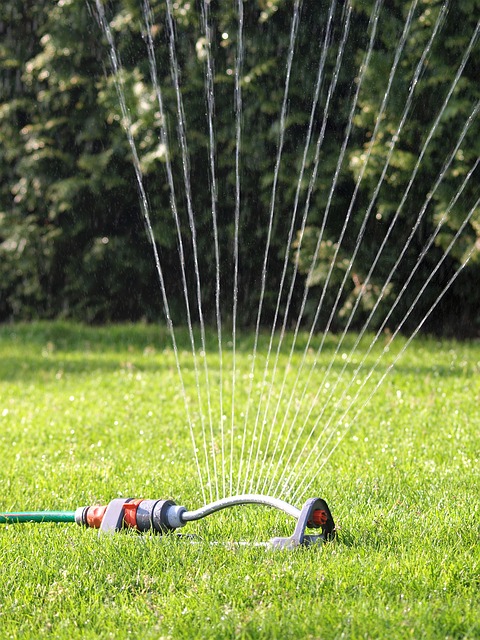
A smart irrigation controller adjusts watering to the weather and season. EPA WaterSense notes that residential outdoor water use is nearly 8 billion gallons a day in the U.S., and experts estimate as much as 50% of it is wasted through overwatering. Swapping a clock timer for a WaterSense labeled controller can save an average home up to 15,000 gallons a year.
Which automation routines are worth setting up?
| Routine | What it does | Devices |
|---|---|---|
| Leaving home | Thermostat sets back, lights off, doors lock | Thermostat, smart lock, hub |
| Morning | Blinds open, coffee maker on, heat up 30 minutes before wake-up | Blinds, smart plug, thermostat |
| Night | Lights dim, alarm arms, porch light stays on | Lights, alarm, voice assistant |
| Rain skip | Sprinklers skip a cycle after rain | Smart irrigation controller |
| Away cleaning | Robot vacuum runs when the house is empty | Robot vacuum, geofencing |
Start with one or two routines and live with them for a week. Then add. A routine that fires at the wrong time gets turned off and forgotten. For a closer look at specific gadgets, our guide to 6 smart home devices worth having covers cameras, smoke alarms and locks.
Sell smarter
List your home on the MLS from $99
A flat fee instead of a percentage, and $0 to Beycome at closing. You stay in control of your sale.
Sell your home →Buy smarter
Get up to 2% back at closing
On homes listed by other agents, Beycome credits you up to 2% of the price at closing (1% kept, $1,499 minimum; not on FSBO homes or homes listed by Beycome sellers).
Buy a home →How do you keep smart devices secure?
Every connected device is a small computer on your network. Change default passwords, turn on two-factor login for the main app, and keep firmware updated. Put smart devices on a guest network if your router allows it.
When you shop, look for the FCC’s U.S. Cyber Trust Mark. It’s a voluntary label for wireless consumer devices that meet cybersecurity standards set by the program. It doesn’t make a device perfect, but it tells you the maker went through the checks.
What should you do with smart home devices when you sell?
Decide early what stays. Buyers often assume anything mounted or wired in, like a thermostat, doorbell camera or smart lock, comes with the house. If you want to take something, replace it before showings and say so in the listing. Put the list in the purchase contract to avoid arguments at the walk-through.
Before closing, factory-reset each device, remove it from your accounts and leave the manuals and model numbers in a kitchen drawer. Change any shared codes. Mention working features in your listing description too: buyers search for things like “smart thermostat” and “irrigation system.” Our tips on writing listing descriptions and deciding what stays when you sell help here.
A tax note for later: IRS Publication 523 lists a lawn sprinkler system, a security system and wiring among improvements that add to your home’s basis, which can lower a taxable gain. Keep the receipts. For other pre-sale projects, see whether to install AC before selling, the home renovation checklist and lawn care tips for the yard.
When you’re ready, a Beycome flat fee MLS listing starts at $99, with $0 due to Beycome at closing, and every package includes e-signature, unlimited listing updates and Artur, Beycome’s AI assistant. Beycome lists in 17 states and DC.
Home automation questions
What can I automate in my home?
Lights, thermostat, blinds, small appliances through smart plugs, floor cleaning and sprinklers are the easiest. Locks and alarms can join the same routines.
Which home automation saves the most money?
Usually the thermostat, since heating and cooling is almost half the average energy bill (ENERGY STAR). A smart sprinkler controller saves water.
Do I need a smart home hub?
Not always. Many devices work through one app or a voice assistant. A hub helps when you have several brands and want one routine to control them all.
How much water does a smart sprinkler controller save?
EPA WaterSense says replacing a clock timer with a WaterSense labeled controller can save an average home up to 15,000 gallons a year.
Are smart home devices safe?
They can be if you change default passwords, update firmware and use two-factor login. The FCC’s Cyber Trust Mark flags devices that meet its security standards.
Do smart devices stay with the house when I sell?
Wired-in or mounted devices usually do unless the contract says otherwise. Agree on it in writing and reset them before closing.
Prices as of November 2026; Basic is $129 in California and Illinois ($99 elsewhere). “$0 at closing” means no Beycome fee at closing; other closing costs, taxes and title fees still apply. Savings figures are averages from the sources shown; yours depend on your home, climate and habits. Product links are examples, not endorsements. General information, not tax or legal advice.
Sources
- ENERGY STAR, Smart Thermostats, read October 27, 2026.
- EPA WaterSense, Labeled Controllers, read October 27, 2026.
- FCC, U.S. Cyber Trust Mark, read October 27, 2026.
- IRS, Publication 523, Selling Your Home, read October 27, 2026.
- Beycome, listing package features, October 2026.
Disclosure & Disclaimer
Beycome provides real estate services through affiliated licensed brokerages and has a commercial interest in the services and business models discussed on this blog. Content reflects Beycome’s perspective and may promote our services; it should not be treated as independent or neutral reporting.
Articles are provided for general informational and educational purposes only, not as financial, tax, legal, or investment advice or a recommendation for your particular situation. Reading this blog does not create a brokerage, advisory, or other professional relationship.
Information, opinions, pricing, service descriptions, and comparisons reflect the sources and information available when an article was published or last updated and may change. Although we aim for accuracy, we do not guarantee that all content is complete, current, or applicable to your circumstances. Laws, market conditions, and service availability vary by location. Examples and estimated savings are illustrative, depend on stated assumptions, and do not guarantee individual results.
Verify relevant information directly and consult qualified professionals before making decisions. Beycome services are subject to applicable agreements, eligibility requirements, and state-specific terms.
